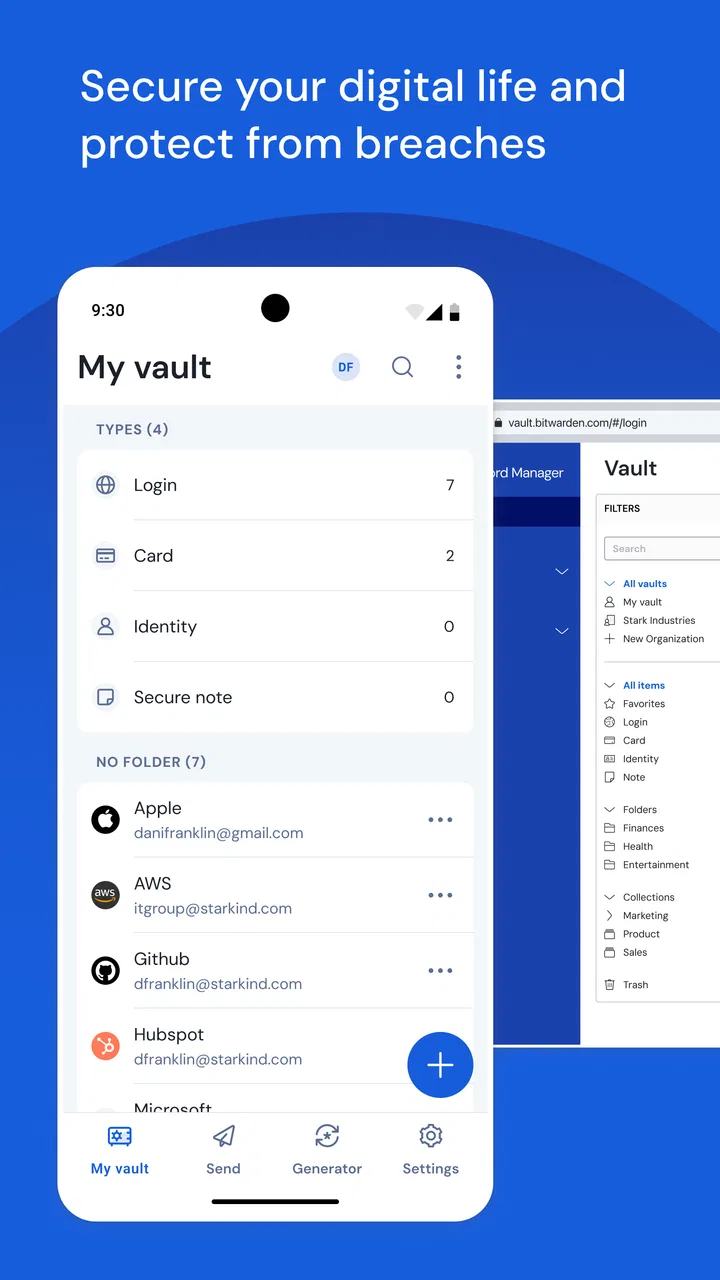
Bitwarden Password Manager
- 4.7
- Rating
- 5.00M
- Installs
- Free
- Price

 Analysis by App-foxy
I use a password manager when the small act of signing in starts interrupting everything else I am doing. Bitwarden Password Manager is aimed at that exact problem: keeping login details in one place so I do not have to reuse weak passwords, search old messages, or stop what I am doing to reset an account. It is a free productivity app from Bitwarden Inc., and its straightforward design makes it easier to treat password security as part of a normal routine rather than a separate technical project.
My overall impression is positive, especially for someone who wants one password tool across everyday accounts without paying at the starting line. The experience is not completely frictionless, though. A password manager becomes most useful when it is available at the moment a login appears, and that moment can depend on the phone, the browser, the app being opened, and the quality of the connection. Bitwarden handles the central job well, but it still asks you to build a habit around it.
How Bitwarden fits into everyday sign-ins
The first important choice is deciding what you want the app to replace. If you currently remember a few passwords and reuse them everywhere, moving to Bitwarden is a meaningful security improvement. If you already use a browser’s built-in password storage, the decision is more about control, consistency, and whether you want a dedicated manager rather than another security layer attached to one browser ecosystem.
You May Also Like

 Blood Strike: 2.5 Anniversary
Blood Strike’s Loadouts Turn Every Drop Into a Tactical Gamble
A close look at Blood Strike’s custom loadouts: how fast access to signature weapons reshapes its battle royale rhythm, rewards preparation, and narrows the gap between fights.

 Pandora - Music & Podcasts
Pandora’s Music Is Easy to Start, but Harder to Recover
Pandora’s strength is its low-effort path from a seed to a station. Its weak spot is how much confidence it asks you to place in connection, setup, and quiet recovery.

 8 Ball Pool
 Is Built on Rivalries, Rematches, and Routine
A close look at the rivalries, rematches, shared routines, and unanswered safety questions that turn a quick pool match into a persistent mobile community.

 Samsung Music
’s Quiet Strength Is Playing What You Already Own
Its reach comes less from spectacle than from dependable access to a personal library. That simplicity is both the app’s strongest retention engine and its ceiling.

 AccuWeather: Weather Radar
AccuWeather Review: A Quick, Clear Forecast for Everyday Decisions
For everyday plans, the best forecast is the one you can understand quickly. AccuWeather makes rain timing, radar, and local conditions easy to act on, with a few trade-offs.

 Hill Climb Racing
Why Hill Climb Racing Still Turns Crashes Into One More Run
A tiny car, a bumpy hill and one more upgrade: Hill Climb Racing keeps resurfacing because its simple chaos makes every near-miss feel personal.
More From Our News Desk



I found the app most convincing when I treated it as a single home for credentials instead of merely a generator for complicated passwords. The value grows as more accounts move into the vault: shopping, email, work services, travel sites, subscriptions, and less frequently used logins all become easier to handle. The early setup takes patience, because importing or adding records is not as satisfying as immediately opening an app and getting a result.
The application is listed as free, which removes one of the biggest barriers for people who are curious about password managers. It is rated for Everyone, and the current version is 2026.4.2 for devices running Android 10 or later. Those details matter if you are using an older phone or deciding whether this can become the main tool for a family member who is not comfortable with complicated software.
Its popularity also gives me confidence that this is not an abandoned side project. Bitwarden has an average rating of 4.7 from around 155 thousand ratings, with more than 5 million installs. I would not use popularity as proof that every workflow will suit me, but it does suggest that the basic mobile experience has been useful to a broad audience.
Where connectivity changes the experience
A password manager is unusual because the important information is needed at unpredictable times. I might be signing into a hotel network, opening a banking app while travelling, or trying to confirm an order in a place where mobile service is inconsistent. Bitwarden feels smoothest when the phone can reach the service and the login prompt recognizes the stored information without delay.
That makes connectivity part of the practical experience, even though the app itself is not a communications tool. A poor connection can turn a quick sign-in into a sequence of waiting, switching screens, and checking whether the right entry appeared. My advice is to prepare important credentials before leaving reliable internet, rather than assuming every login will be equally convenient in a basement, on a train, or near a crowded venue.
This is also why I would not judge the app only by its first launch. The real test comes when I am moving between another app and the password manager, or when a service has changed its login page. A saved record can still be useful, but the process may require more manual attention than a perfectly integrated browser prompt.
For people who frequently work in areas with unreliable connectivity, this deserves serious consideration before making Bitwarden the only place they consult. I would test the exact phone and login situations that matter most to me. That is a better approach than relying on a general assumption that a password manager will behave identically in every network condition.
Mobile use is convenient, but the phone is not a desktop
On mobile, the strongest advantage is having a dedicated place to check a credential without keeping a notebook, screenshot, or insecure note. The app is especially useful for accounts I open only occasionally. Instead of trying to remember the password for a tax service, an old retailer, or a travel account, I can look for the entry when I actually need it.
The trade-off is that phones compress several tasks into a small screen. I may need to leave the login page, open the manager, locate the correct item, return to the original app, and complete the form. When the login is unfamiliar or the service uses an unusual verification step, the process can feel less automatic than the simple idea of “tap and sign in” suggests.
I recommend organizing entries with names that make sense at a glance. “Mail” may be enough for one account, but it becomes vague when personal, work, and older addresses are all stored together. Clear labels reduce the time spent searching, which is a surprisingly important part of mobile password management. A well-organized vault feels fast; an untidy one makes the app seem slower than it really is.
Another useful habit is to review duplicate or outdated entries while the list is still manageable. Password managers can preserve old records just as easily as current ones. If I save a new login every time a website changes its address or sign-in method, I eventually create uncertainty about which item is authoritative. Cleaning names and retiring obsolete records keeps the mobile experience focused.
Bitwarden is a strong match for people who use several services across different devices and do not want their password habits tied entirely to one phone brand or one browser. It is less appealing to someone who wants every sign-in to disappear behind a single operating-system prompt and has no interest in maintaining a separate vault.
A realistic day with the app
Imagine I am leaving home for a weekend and need to check a booking account, a transport service, and a work inbox. I do not want to reset anything while travelling, especially if one of those services sends verification to a device I am not carrying. Before leaving, I open the relevant entries on a dependable connection and make sure the names are clear. That small preparation reduces the chance of discovering a problem at the station or hotel.
Later, when one service asks for a password, the manager gives me a clear alternative to guessing. If the login prompt works neatly with the phone, the interruption is brief. If it does not, I can still use the stored record as a reference, but I may need to move between screens. The app does not remove every awkward part of authentication; it removes the more dangerous habit of using the same easy password everywhere.
This scenario shows the difference between convenience and preparedness. Bitwarden is most valuable when I use it before an urgent moment, not when I install it while already locked out. I would also make sure I understand how I will recover access to the vault before storing every important credential there. That is basic planning, but it is often overlooked because password managers feel effortless after setup.
Failure, recovery, and the cost of one forgotten secret
The central password manager trade-off is concentration. Keeping many credentials in one place simplifies daily life, but it also makes access to the vault especially important. I would choose a strong main password that I can genuinely remember, rather than creating something so complicated that I am tempted to write it in an unsafe place.
I would also think through recovery while calm. That means knowing where I would turn if I replaced my phone, forgot the main password, or lost access to a usual sign-in route. A password manager cannot make a forgotten master credential magically convenient. The safest workflow is to establish a personal recovery plan before the vault becomes the only practical source of all my logins.
When a saved password fails, I first check whether the service is asking for a different account, a changed username, or an additional verification step. It is easy to blame the manager when the real issue is that an old record remained in the vault. Clear item names and occasional maintenance help separate an app problem from an account problem.
Recovery can also be affected by connectivity. If I am trying to solve an access issue while offline or on a weak connection, I may not be able to complete the surrounding account process smoothly. I therefore prefer to update credentials and confirm important account details before travel or major device changes. That is not glamorous advice, but it is the kind that prevents a password manager from becoming another source of stress.
Using the vault without wasting data
People who watch mobile data usage may wonder whether a password manager will become another app constantly competing for connectivity. My practical approach is simple: use it deliberately. I avoid repeatedly opening and closing the vault just to browse entries, and I prepare the accounts I know I will need before entering a low-signal situation.
The app is not something I need to stare at throughout the day. Its best role is as a quiet utility that appears when a login requires it. That makes data-conscious use less about changing a complicated setting and more about avoiding unnecessary back-and-forth. I also prefer not to perform a large cleanup while travelling, when a connection may be unreliable and my attention is divided.
There is a privacy benefit to reducing casual exposure as well. I do not copy passwords into general notes or leave them visible in messages simply because the manager is inconvenient at that moment. If a login flow is awkward, I would rather improve the record’s label and my routine than create a second, less protected storage place.
For a shared household, the same principle applies to organization. Each person should know which entries belong to them, and the vault should not become a dumping ground for random codes, temporary passwords, and outdated accounts. A smaller, clearer collection is easier to use on a phone and less likely to cause a rushed mistake.
How it compares with browser and system password tools
The usual alternative is the password storage already built into a browser or phone. That option can feel more immediate because it appears inside the same environment where I am signing in. For someone who uses one browser on one platform and values the fewest possible steps, the built-in approach may be the better fit.
Bitwarden makes more sense when I want a dedicated place for credentials that is not simply an extension of one browser habit. It also suits people who switch between mobile apps and websites, or who want to make a conscious decision about their password organization instead of accepting whichever storage tool appears first.
The difference is not that one choice is universally safe and the other is universally poor. The better option is the one I will actually use consistently. A beautifully separated vault is not helpful if I constantly ignore it, while a basic built-in manager can be perfectly practical when it is maintained and protected properly.
I would skip Bitwarden if my priority is absolute simplicity and I am unwilling to learn a new sign-in routine. I would also hesitate if my phone is below the stated minimum operating system, or if my most important requirement is a completely automatic experience in every app. In those cases, a system-integrated tool may feel less disruptive.
Small habits that make the app more effective
Start with the accounts that would cause the most trouble if compromised, rather than trying to move every login in one sitting.
Use precise names for entries, especially when several services share a company name or email address.
Before a trip or device replacement, open the accounts you will need and make sure you know how to reach the vault in that context.
When a login fails, compare the saved username and service identity before immediately creating another record.
Keep the main password memorable enough to recover from memory, because the entire workflow depends on it.
These habits are more important than filling the vault quickly. The app can store credentials, but it cannot decide which account is current, which label will make sense next month, or which recovery plan is realistic for me. Those decisions determine whether the manager feels like a safety net or another list to maintain.
My connectivity verdict
Bitwarden Password Manager earns my recommendation for people who want a free, dedicated productivity tool for organizing logins and improving password habits across everyday mobile use. The developer is Bitwarden Inc., and the app’s broad adoption and strong average rating support the impression that its central purpose is well established.
My recommendation comes with one condition: treat connectivity and recovery as part of the workflow. Do not wait until a weak signal, a new phone, or an urgent login to discover how the app fits your routine. Prepare important entries, use clear labels, and test the situations you encounter most often.
The experience is not magic, and it is not always as seamless as a password tool built directly into a browser or operating system. Still, I prefer the deliberate control of a dedicated vault when I am managing accounts across different contexts. For a person willing to spend a little time setting it up properly, Bitwarden turns password security into a repeatable mobile habit rather than a series of emergency resets.
FAQs for Bitwarden Password Manager
01What is Bitwarden and how does it work?
Bitwarden is a versatile password manager that securely stores and manages your passwords across devices. It encrypts your data locally before syncing to the cloud, ensuring only you can access your credentials. With features like password generation and autofill, Bitwarden simplifies password management while enhancing security.
02Is Bitwarden free to use, and what are the premium features?
Bitwarden offers a comprehensive free version, including unlimited password storage and basic sharing. For advanced features like encrypted file storage, priority support, and enhanced security reports, you can upgrade to a premium plan for a small annual fee. This ensures flexibility and scalability according to your needs.
03How secure is Bitwarden, and what encryption does it use?
Bitwarden employs end-to-end encryption using AES-256, the same standard used by governments and financial institutions. All your data is encrypted on your device before being stored in the cloud, ensuring only you have access. Regular security audits and open-source transparency further bolster its reliability.
04Can Bitwarden be used across multiple devices and platforms?
Yes, Bitwarden is compatible with Windows, macOS, Linux, iOS, and Android. It also offers browser extensions for Chrome, Firefox, Safari, and Edge. This cross-platform availability ensures seamless access to your passwords wherever you are, supporting synchronization across all your devices.
05What should I do if I forget my Bitwarden master password?
If you forget your master password, Bitwarden cannot recover it due to its zero-knowledge architecture. It's crucial to keep a secure backup of your master password. Consider enabling two-factor authentication for added security, ensuring you can access your account even if you forget your password.
Pros
- Open-source and highly secure.
- Cross-platform compatibility.
- User-friendly interface.
- Strong community support.
- Affordable premium features.
Cons
- Limited offline access.
- Occasional sync delays.
- No password inheritance feature.
- Requires internet for vault updates.
- Premium features cost extra.

Bitwarden Password Manager
Gallery